Offline documentation
Using the PWA feature, you can install the documentation as a web app on your device. Once installed, the app saves a copy of the documentation, so you can read it without a connection.
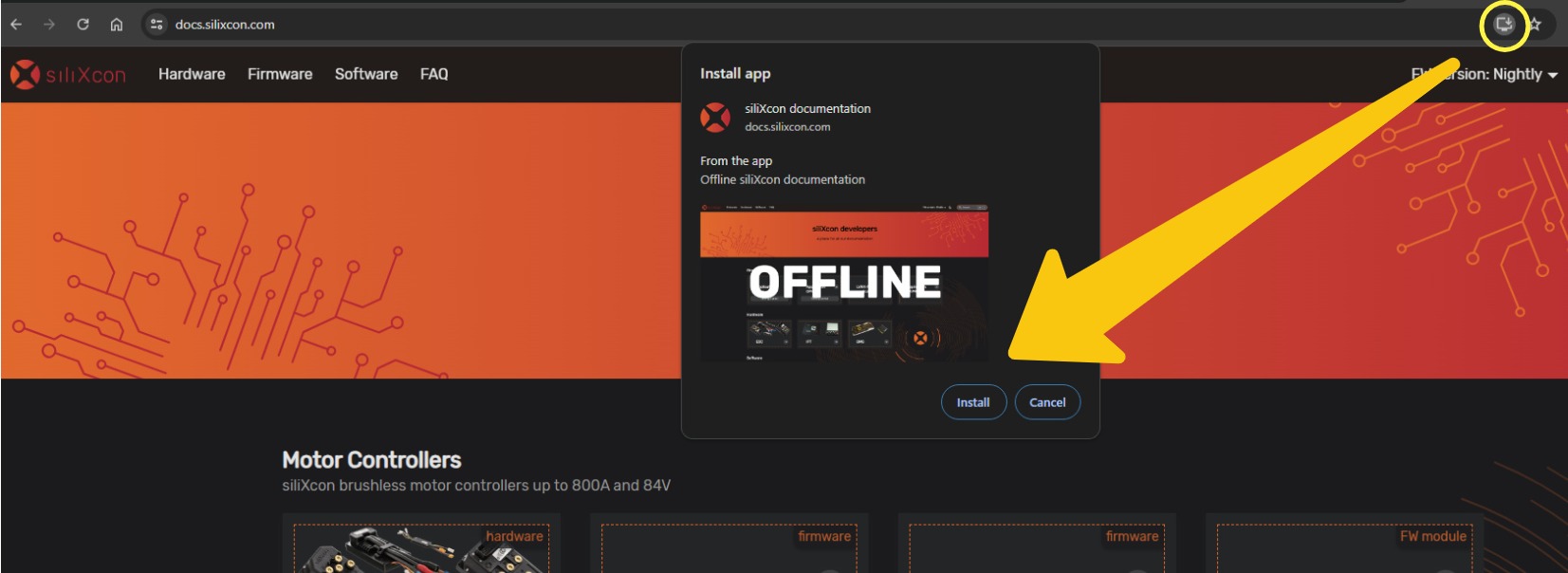
Getting the offline copy
- Install the app from your browser (the install icon in the address bar, or Install app in the browser menu).
- Stay online while the app saves the documentation. This starts right after you install, and a panel in the bottom right corner shows the progress. It is a few thousand files (about 250 MB), so it takes several minutes, and longer on a slow connection.
- When the panel says The docs work offline, you can disconnect.
Offline reading works only after the whole copy is saved. Until then, pages still load from the internet.
If the connection drops, the download pauses and continues when you are back online. If you close the app before it finishes, it continues the next time you open the app online. Files saved so far are kept, so nothing is downloaded twice. If the panel says the download stopped, reload the page while online.
Updates
When new documentation is published, the app saves the changes the next time you open it online. Until then, it keeps showing the version you have. When the update is ready, the app shows New version available. Click Refresh to switch to it.
- May not work on all browsers. More about PWA support
- Search functionality will not work offline.
- The offline copy takes about 250 MB of storage. Uninstalling the app or clearing the site data removes it.