SRM Portal
The siliXcon Release Management (SRM) Portal is a web interface for managing your devices, firmware updates, containers, orders, and support.
Getting Started
- Access to the Portal is granted by your siliXcon representative. If you do not have access, please contact them to request it.
Devices
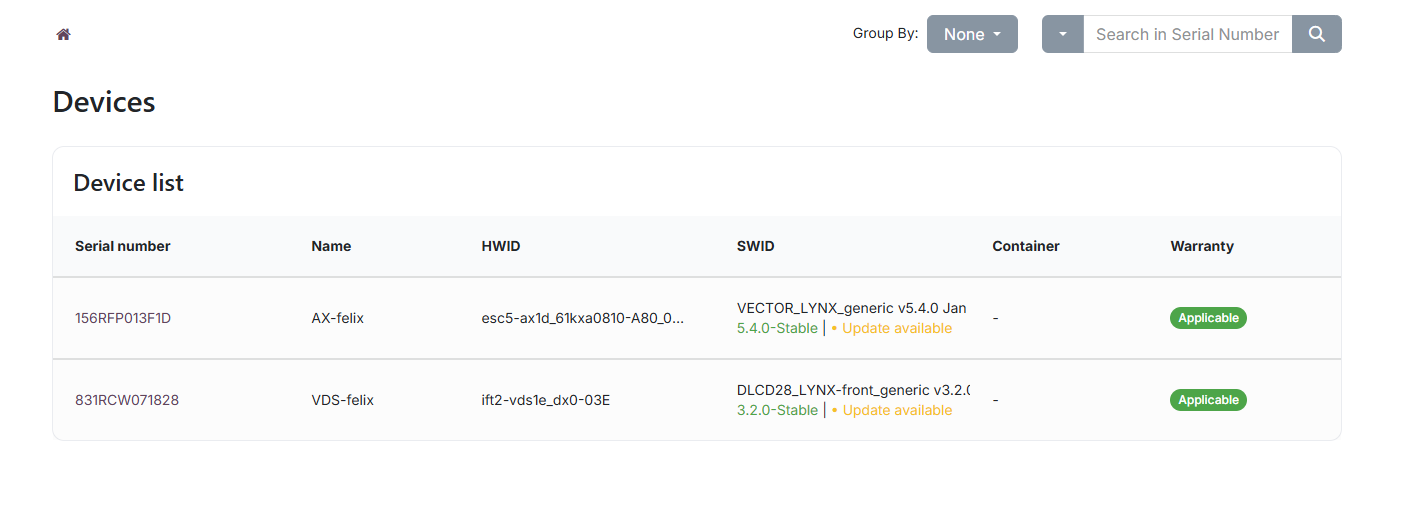
The Devices page lists all motor controllers associated with your company, showing serial number, basename, HWID, SWID, container assignment, and warranty status.
Each device has a detail page with:
- Current firmware and update availability
- Warranty expiration date and linked sales order
- Compatible firmware releases
- Personal notes (visible only to you)
Firmware Releases
The Firmware page lists all firmware releases relevant to your devices. You can sort, filter, group, and search releases.
The detail page for each release shows target hardware, expiration, compatible devices, module versions, and release notes from siliXcon.
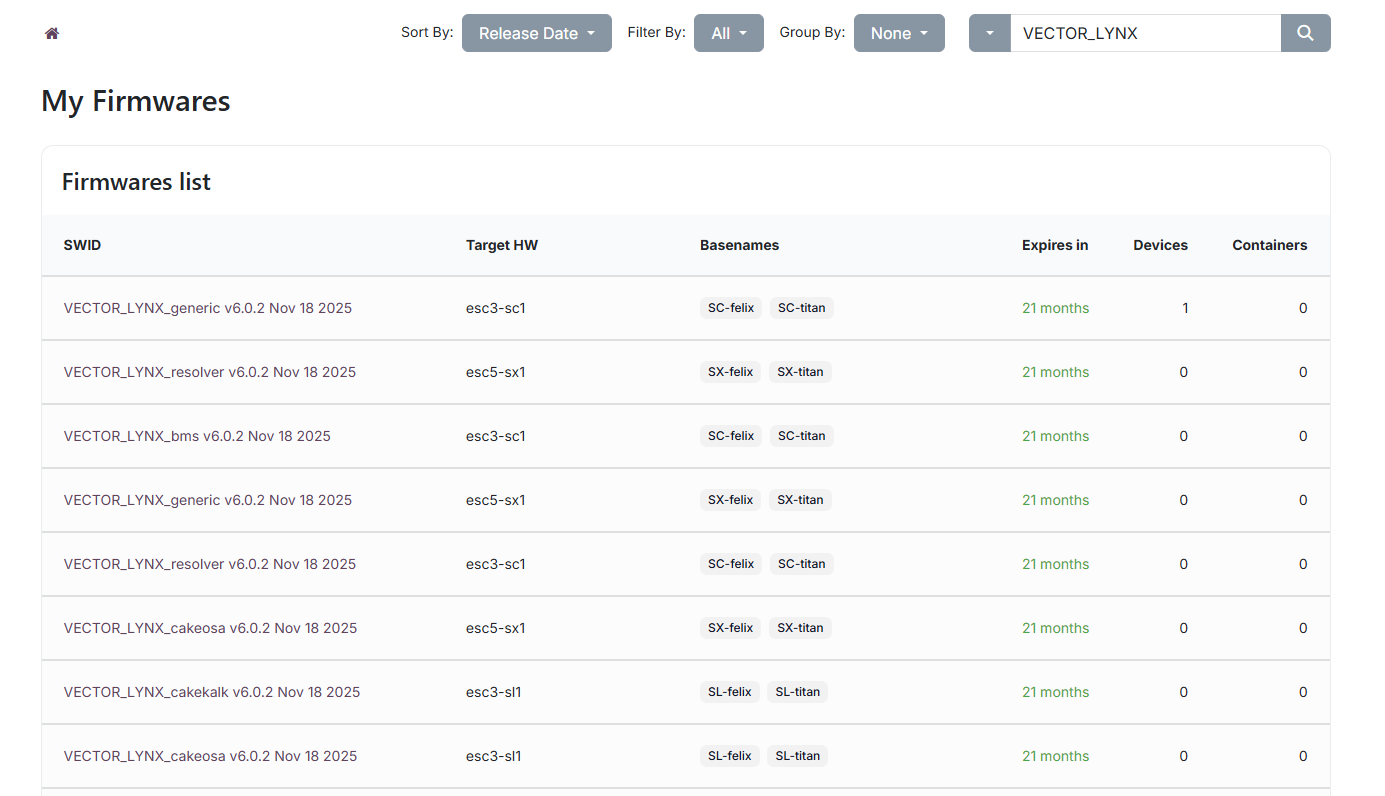
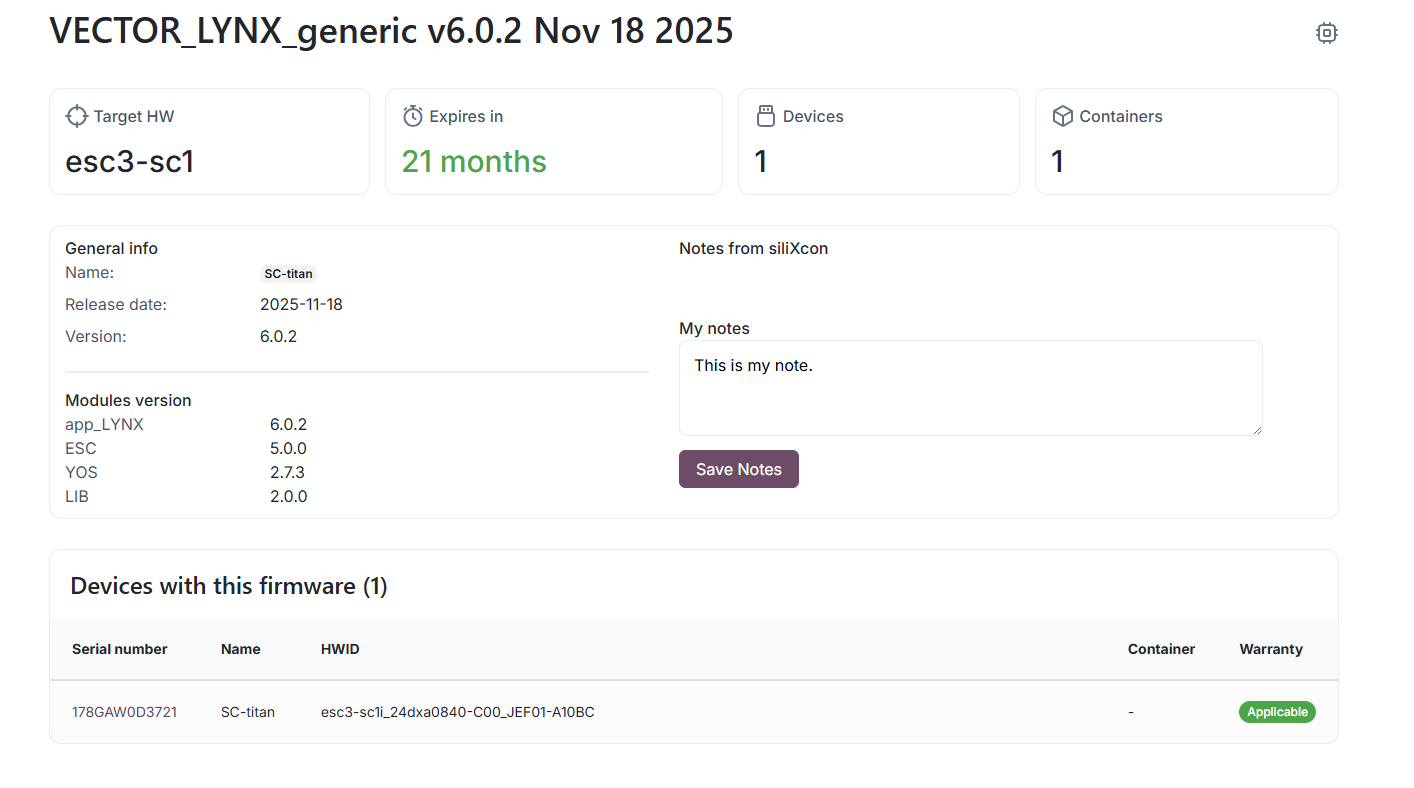
Firmware expiration is color-coded: green (> 30 days), yellow (14–30 days), red (< 14 days), grey (expired).
Containers
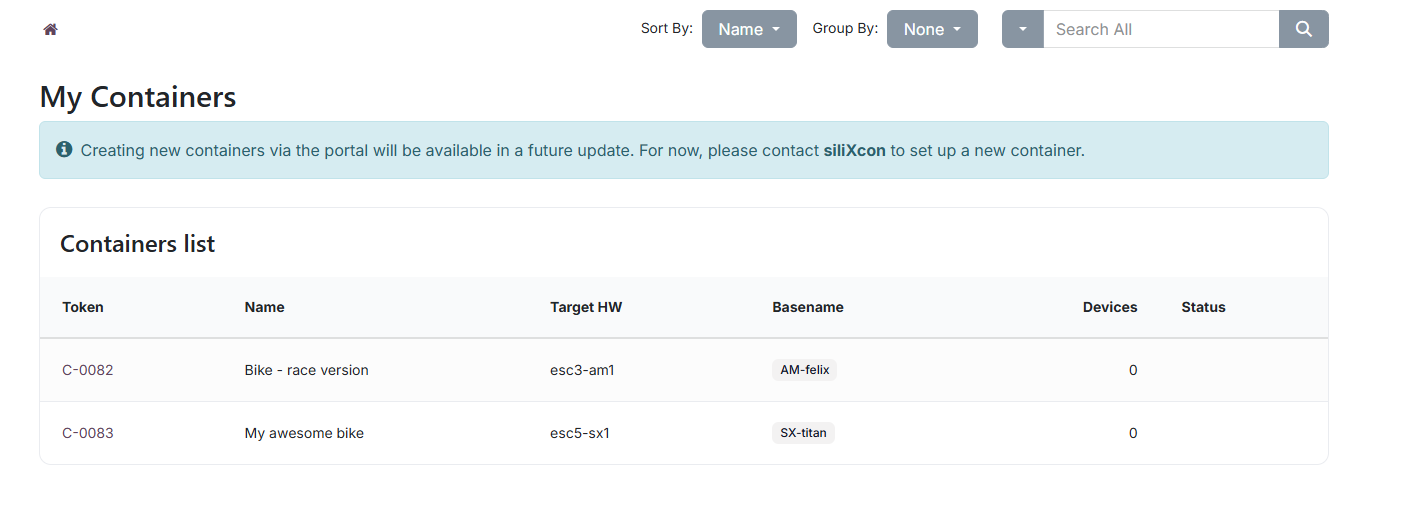
Containers define which firmware release should be delivered to devices during an upgrade. Each container targets a specific hardware platform and basename.
On the container detail page, you can:
- Copy the SRM upgrade command:
srm UPGRADE-container:<token> - Toggle Available and Latest flags for each release (if you have edit access)
- View and copy the release configuration
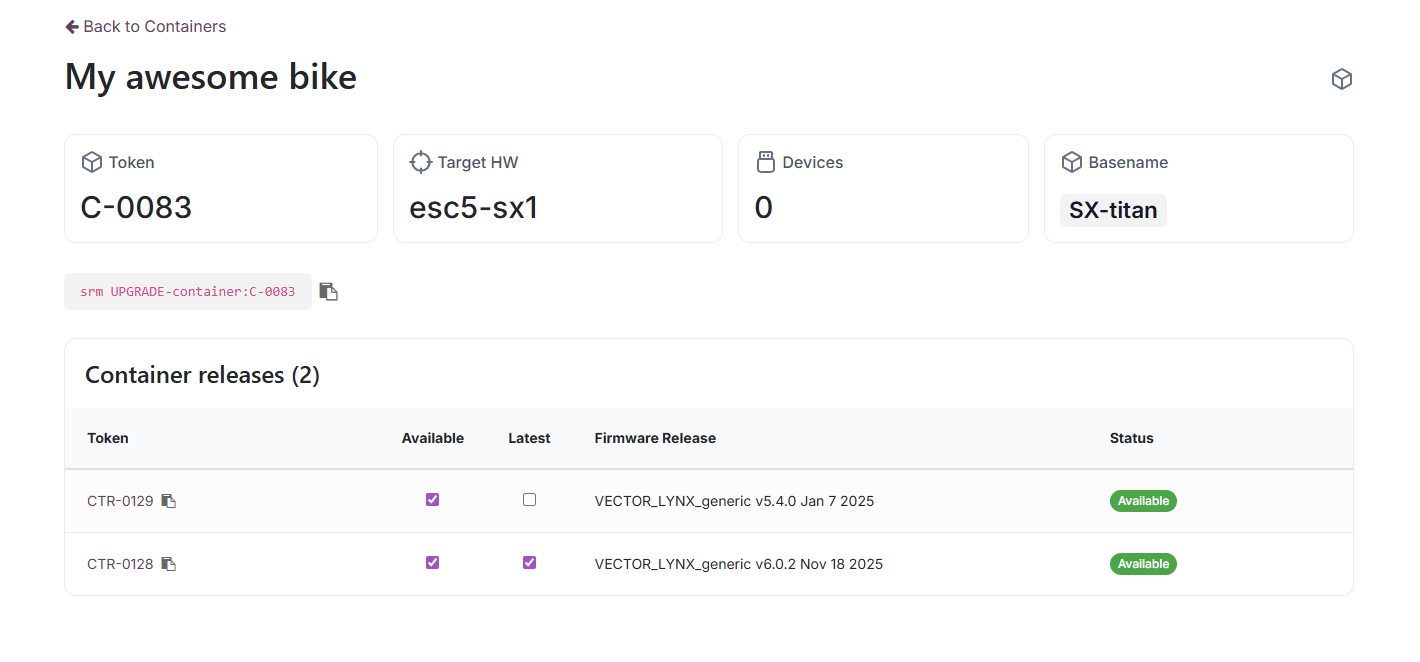
Setting a release as Latest automatically makes it Available. Only one release per container can be Latest at a time.
Orders & Quotations
The Orders page shows your confirmed sales orders with delivery dates, quantities, prices, and delivery status. Each order detail page includes delivery tracking, invoices, addresses, and line-item details. You can download the order as a PDF.
Support — Tickets & Claims
- Tickets — for technical issues, questions, or feature requests
- Claims — for warranty claims related to specific devices
Every ticket, claim, order, and task page has a message thread at the bottom for communicating with siliXcon. You will receive email notifications when siliXcon responds.
Projects & Tasks
If you have project access, you can track projects and tasks from the portal. Each task shows its stage, description, related sales order, and a message thread for communication.
Visibility & Permissions
Your access to different sections of the portal is determined by your permissions, which are set by siliXcon on your request.
| Section | Permissions |
|---|---|
| Devices & Firmware | View|hide devices associated with your company |
| Containers | Edit|View|hide containers for your devices |
| Orders & Quotations | View|hide orders associated with your company |
| Projects & Tasks | View|hide projects and tasks assigned to you |
The permissions are managed by your siliXcon representative. The default permissions grant access to all sections, but you can request to hide or restrict access to specific sections for specific users in your company.
Accountants may only need access to Orders, while engineers may need access to Devices and Firmware. You can customize permissions based on your team's needs.