Service Tokens
Service tokens are time-bounded, company-scoped API tokens that override the default upgrade rights during a firmware service operation. They allow you to grant (or restrict) specific upgrade actions to technicians, workstations, or automated systems — without changing the company-wide defaults or per-device overrides.
For a full description of the rights system, available rights, and resolution model, see Upgrade Rights.
Service tokens are valid only for devices purchased by your company. They cannot be used on devices from other companies, even if the token is valid and has the appropriate rights.
Creating a token
- Go to Company Settings in the portal.
- Scroll to the Service tokens section.
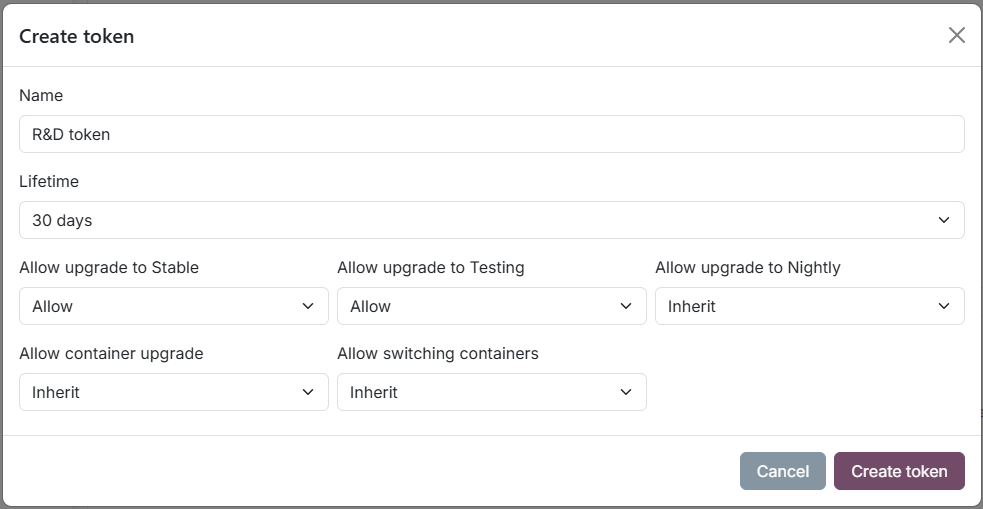
- Click Create token.
- Enter a Name — a human-readable label (e.g.
Production line A,R&D workstation). - Select a Lifetime — the token will automatically expire after this period.
- Set the rights overrides for each right (Inherit / Allow / Deny).
- Click Create token.
The token value is displayed in a green banner at the top of the page. Copy it immediately — it will also remain visible in the token list.
The token value is a randomly generated, unique string. It cannot be changed after creation. If a token is compromised, revoke it and create a new one.
Editing a token
Click the row to expand it, then click Edit. You can change:
- Lifetime — select a new lifetime or keep the current one.
- Rights overrides — adjust any of the five rights.
The token name and value cannot be changed after creation.
Revoking a token
In the edit dialog, click Revoke to immediately deactivate the token. Revoked tokens are kept in the list (marked as Revoked) for audit purposes.
Reactivating a token
A revoked or expired token can be reactivated from the edit dialog by clicking Reactivate. The token's valid_from date is reset to today and the lifetime period starts over. The original token value and rights are preserved.
Token lifecycle
| Status | Badge | Description |
|---|---|---|
| Active | Green | Token is valid and will be accepted during upgrade requests. |
| Expiring | Yellow | Token is still active but has passed its valid_until date. |
| Expired | Yellow | Token was automatically revoked by the daily expiry cron job. |
| Revoked | Grey | Token was manually revoked by a user. |
A daily background job automatically revokes tokens that have reached their expiration date. You do not need to manually revoke expired tokens.
Using a token in an upgrade request
When running an SRM upgrade, supply the token value in the request. The exact mechanism depends on the tool or API being used. The token overrides the company and device defaults for that specific upgrade request only — it does not permanently change any settings.
If the token is missing, expired, revoked, or does not belong to the device's company, the system falls back to the company and device defaults.
When the Upgrade rights feature is not active for your company, tokens can still be created and managed, but they will not be accepted during firmware upgrades. Only company defaults apply. Contact siliXcon to activate this feature.