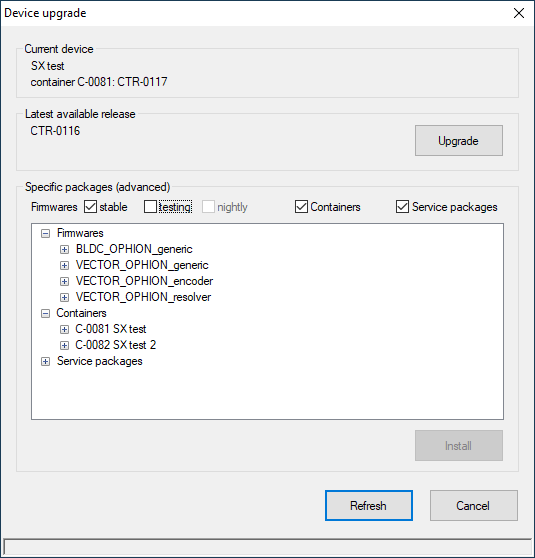
Device upgrade
- The siliXcon device firmware is maintained by our "SRM" versioning service. SRM stands for Secured Remote Management.
- Guide how to upgrade siliXcon device.
- SRM CLI tool description
Close emGUI before you start the upgrade. While emGUI holds the USB connection to the device, the upgrade tool cannot reach it. Start emGUI again when the upgrade has finished.
LaunchPad device upgrade
is LaunchPad subwindow for secure firmware updates via Internet. LaunchPad device upgrade window establishes connections with the device and our servers, enabling controlled firmware version management operations.
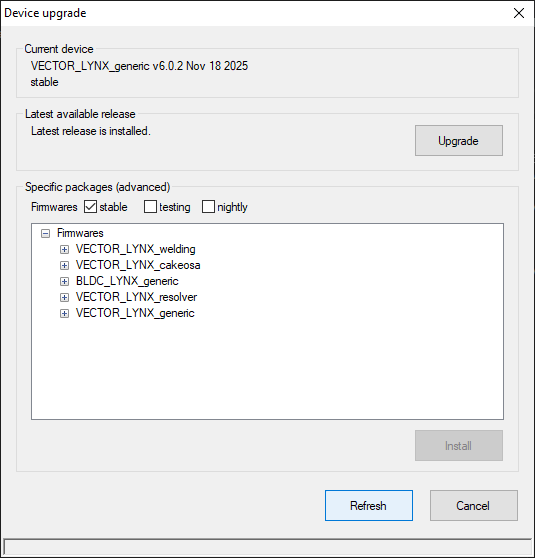
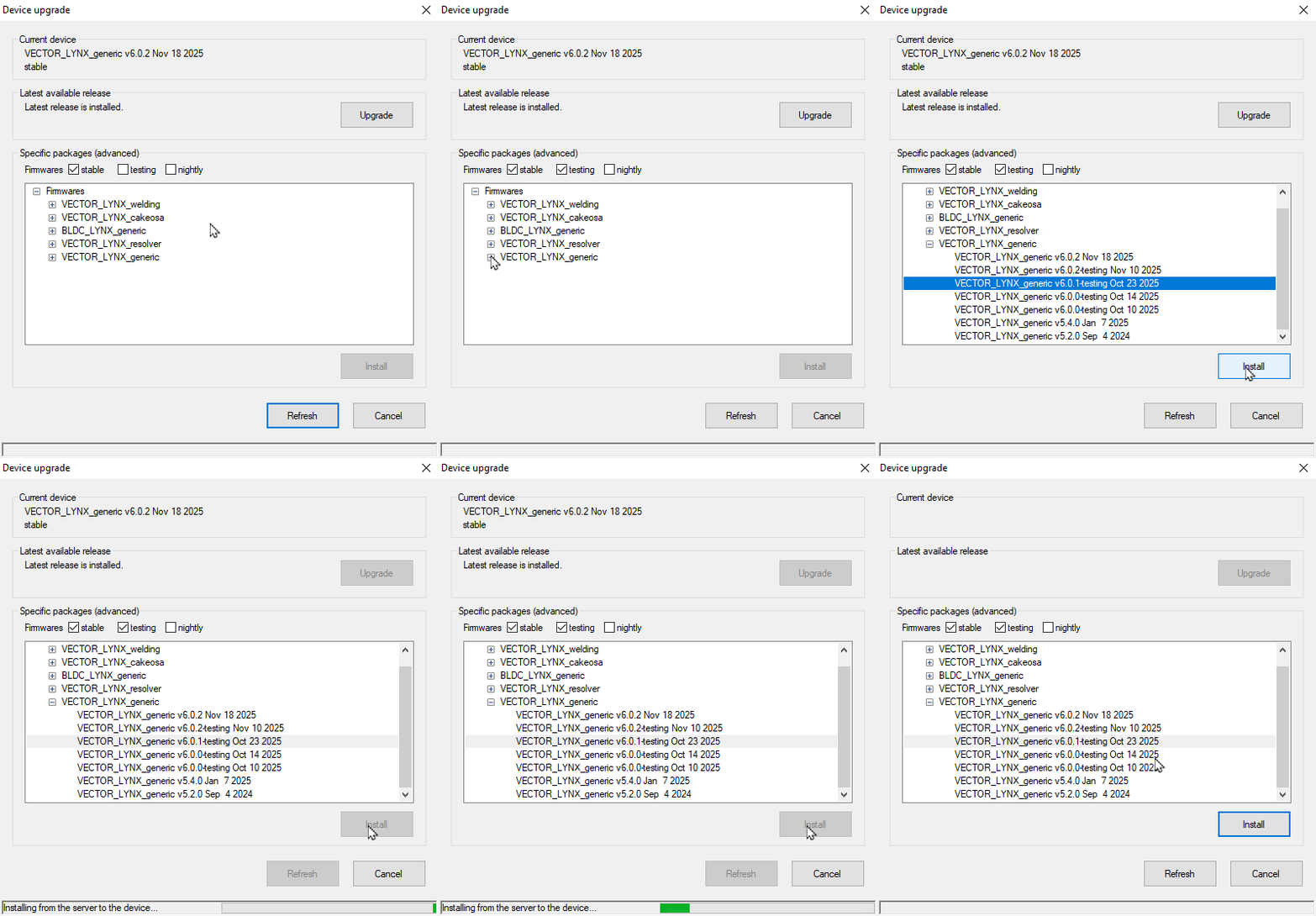
The first example shows how choosing upgrade button in LaunchPad initiates the dialog. The process then establishes a link between the device and our servers. Simply selecting Upgrade and waiting for flashing is the most typical use case:
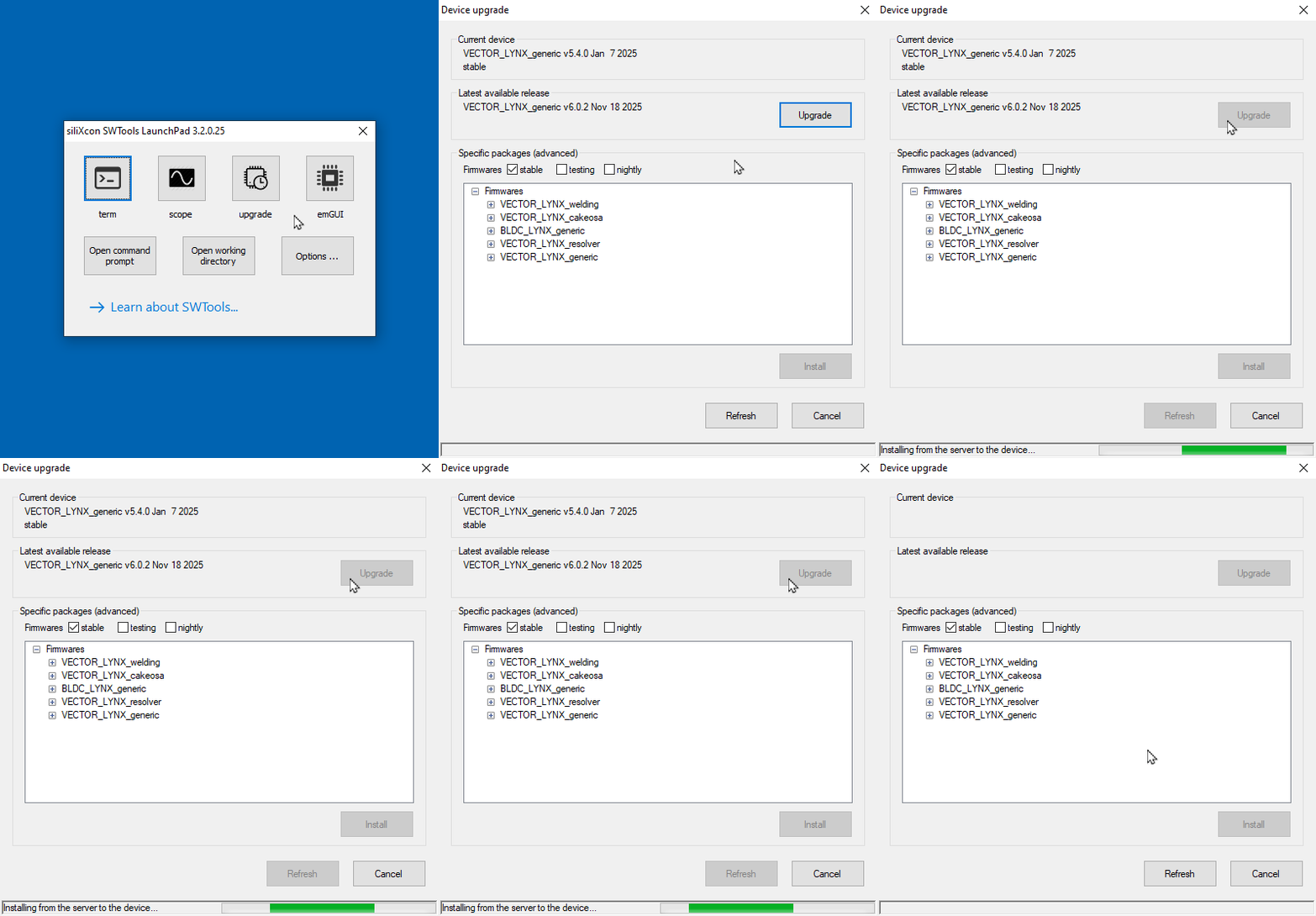
The following example demonstrates how to select a particular firmware release and use Install to flash it:
Functional description
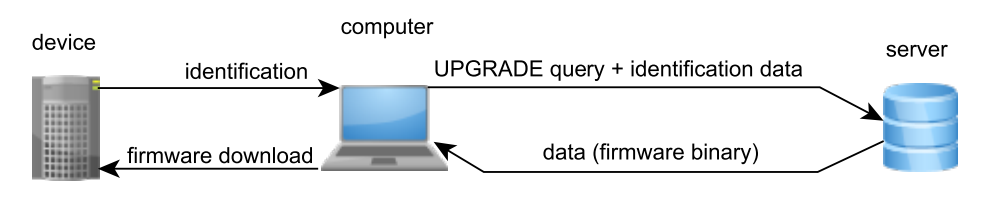
Device upgrade mediates communication between the device and SRM server.
During startup, it connects to the device and establishes communication with the SRM server and prompts for available firmware releases, containers and service packages. These data are then displayed and user can either simply upgrade or select a particular release, container or service package for flashing to the device.
Main actions:
-
Upgrade: Try to automatically upgrade to (or reload) the latest release. It keeps the current branch of release (basename; stable, testing, nightly) or container group.
-
Install: Loads the selected release or package into the device. (The button is active only if any release or package has been selected.)
User can use checkboxes to filter specific release or package types.
-
Refresh: Repeats startup communication with the SRM server and updates all displayed data.
-
Cancel: Quits the application.
Action for Upgrade button depends on the current device firmware. The button is active only when the current device firmware is known.
When user selects a particular release or package from the list, the Install button becomes active. User can then press it to load the selected item into the device.
This GUI application calls the srm command, which communicates with the device and the SRM server. An error message is displayed and detailed information with the srm command output can be displayed too if any error is.
Configuration persistence after firmware update
When a different release (newer or older) is loaded into the device, its configuration can either be preserved or reset to default values. Whether configuration is kept or reset depends on whether the previous and new releases are compatible. Compatible releases are marked by the same major version on stable releases. If both releases have the same set of internal parametric variables the configuration is kept. If any parametric variables are added or removed in the newly loaded version, they are considered incompatible and the old configuration is reset to the default values of the new release. It is good practice to save the user configuration to a file before a firmware upgrade for future reference (if you are not sure about compatibility).
Containers and service packages
For the OEM customers, it also offers container maintenance. A container stands for a firmware locked together with configuration (typically, linked to the customer's solution).
If a container or service package is available for the device, it is displayed in the release list. And suitable checkboxes are shown. User can select and install it in the same way as a firmware release.