SRM Portal: Containers, Upgrade Rights & Service Tokens

The SRM Portal has received a major update — you can now create and manage containers, configure upgrade rights, and issue service tokens directly from the portal.
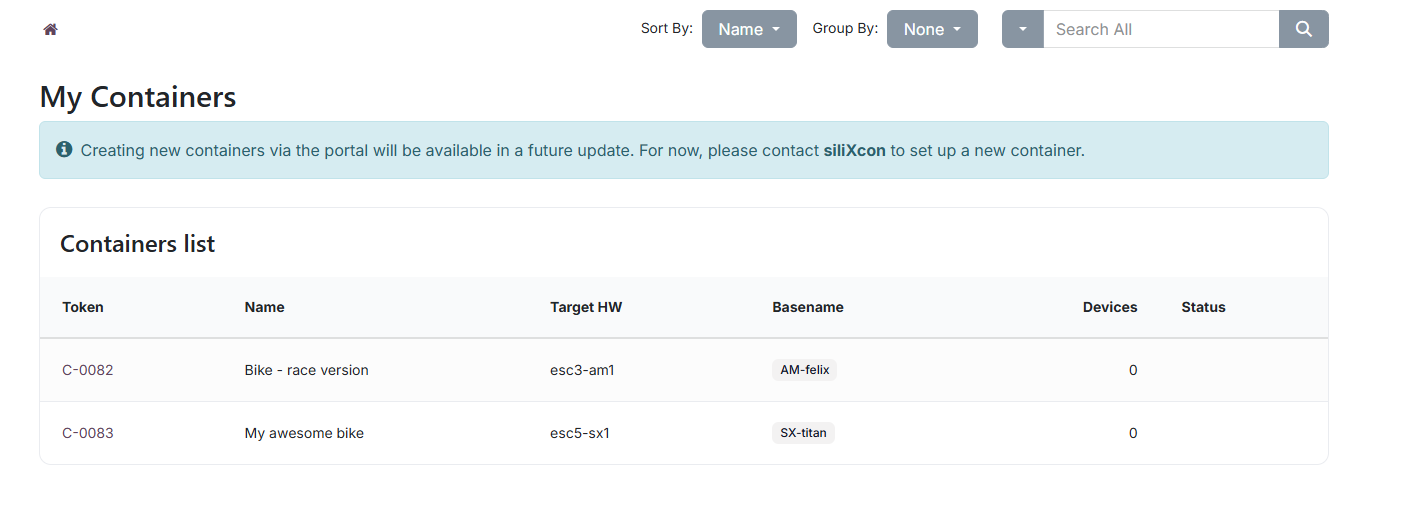
Container management
You can now create, edit, and manage containers directly in the portal — no need to contact siliXcon for every change.
- Create containers — select a board and basename, and the system generates a unique container token for you.
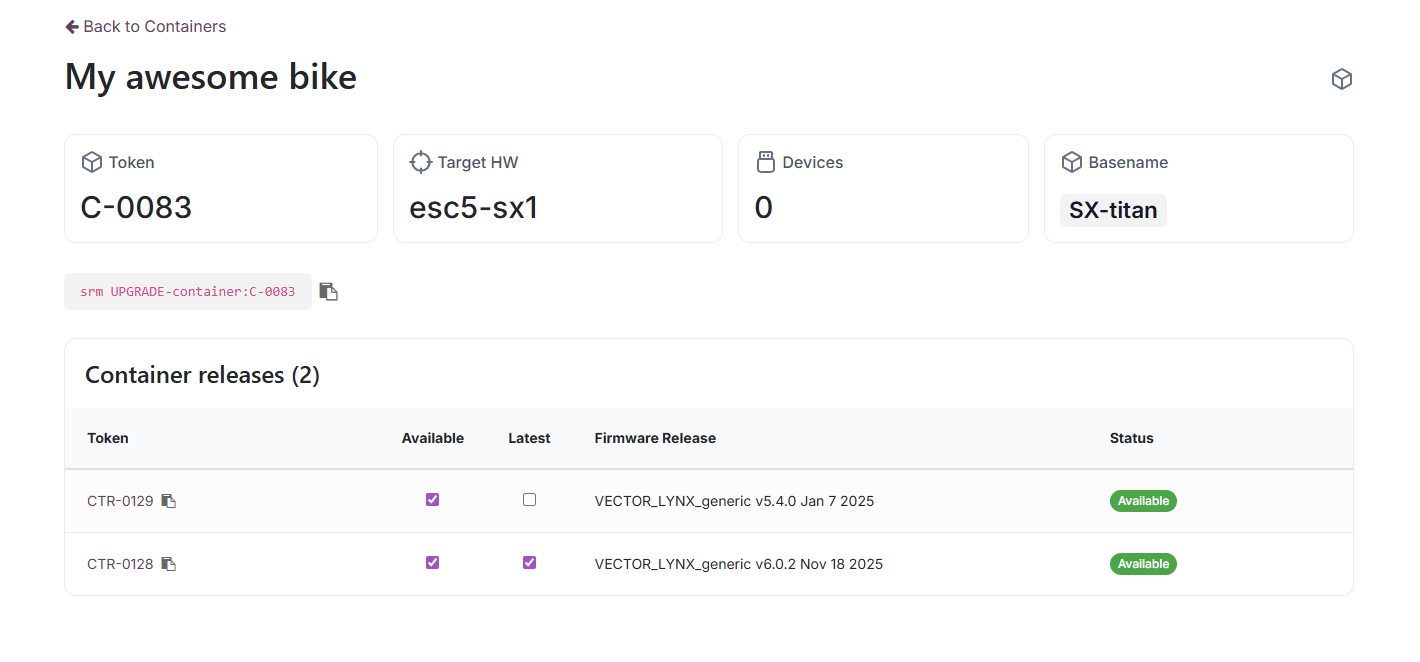
- Add container releases — pick a firmware variant and release, attach a configuration, and submit for approval.
- Approval workflow — new releases go through a New → Waiting for Approval → Approved pipeline. Once approved, toggle Available and Latest flags with a single click.
- Copy upgrade commands — the
srm UPGRADE-container:<token>command is shown on the detail page, ready to copy.
Read more in the Containers documentation.
Upgrade rights
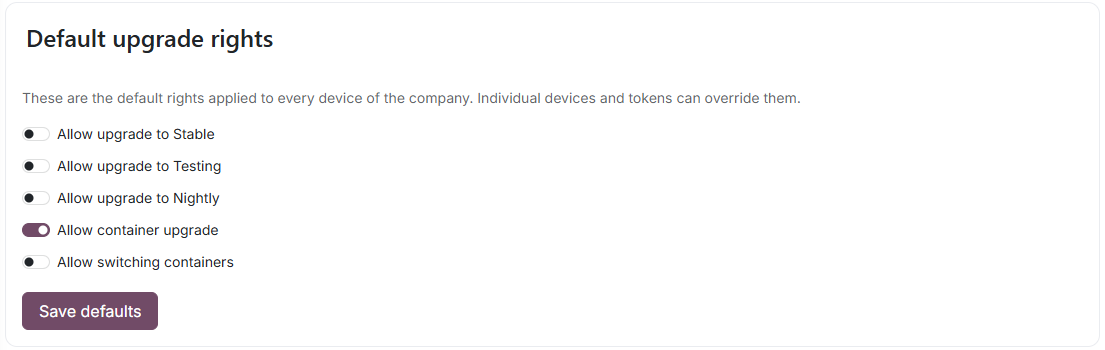
Control what firmware operations your devices are allowed to perform — at three levels:
- Company defaults — set base rights for all devices (e.g. allow only container upgrades).
- Device-level overrides — grant or restrict rights on a specific device (e.g. allow a beta tester to install testing firmware on one device).
- Service token overrides — issue a time-bounded token that overrides rights for a single upgrade request.
The upgrade rights feature can be purchased or is included automatically above a certain annual volume. Read more in the Upgrade Rights documentation.
Service tokens
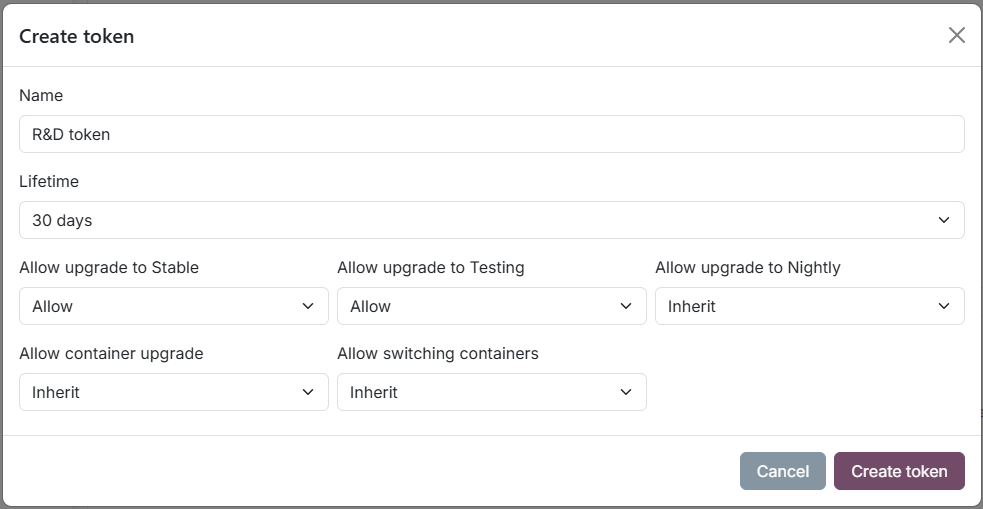
Service tokens let you delegate specific upgrade rights to technicians, workstations, or automated systems — without changing company-wide settings.
- Time-bounded — choose a lifetime from 1 day to 3 years. Expired tokens are revoked automatically.
- Per-right control — each of the five rights can be set to Inherit, Allow, or Deny.
- Revoke and reactivate — instantly revoke a compromised token, or reactivate it later.
Read more in the Service Tokens documentation.
All features are available now at portal.silixcon.com.